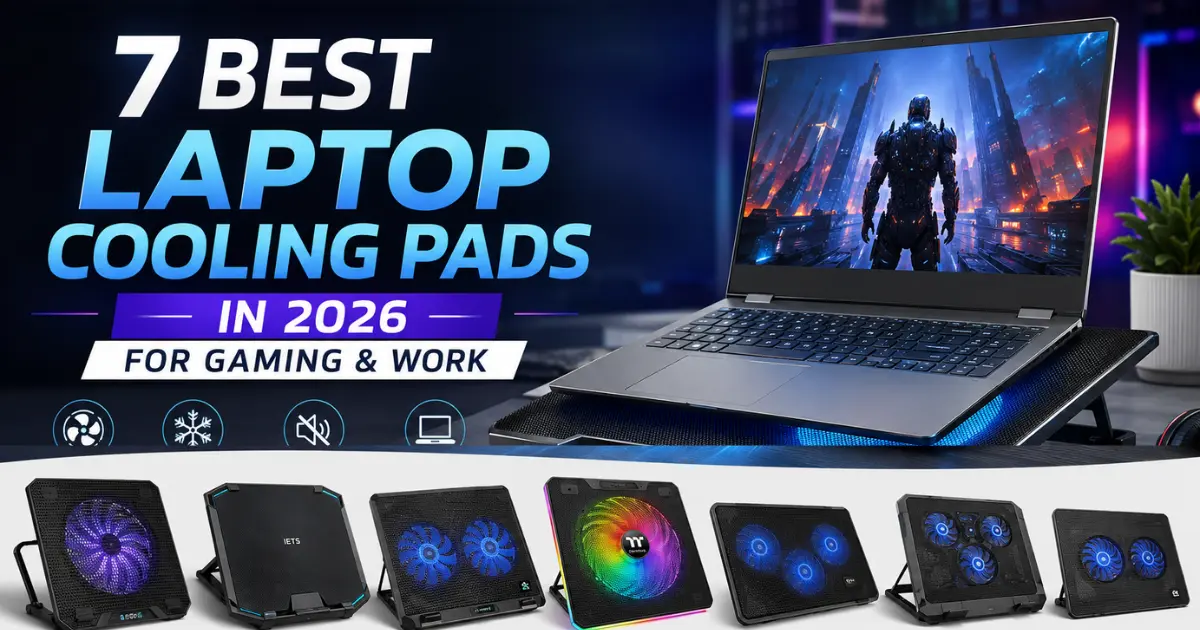
7 Best Laptop Cooling Pads in 2026 for Gaming & Work
Posted on |
If your laptop gets hot during gaming, video editing, programming, or long work sessions, a best laptop cooling pads can help improve airflow around the bottom of the device. The right cooling pad can also make a laptop more comfortable to use and may help reduce performance drops caused by excessive heat.
However, not every cooling pad works equally well. Some models use large fans for broad airflow, while others use high-pressure fans designed to push air directly toward the laptop’s intake vents. Your laptop’s vent design, size, workload, noise tolerance, and desk setup all matter.
In this guide, we have selected the 7 Best Laptop Cooling Pads in 2026 for different users. Whether you need a gaming laptop cooling pad, a quiet option for office work, or a powerful cooler for demanding workloads, this list will help you choose the right model.

What Is the Best Laptop Cooling Pad in 2026?
The best laptop cooling pad depends on how you use your laptop. For general gaming and everyday use, the Cooler Master NotePal X3 is an attractive all-round option because it combines a large 200mm fan, metal mesh surface, adjustable fan speed, and an ergonomic design.
For demanding gaming laptops, the IETS GT500 is worth considering because it uses a high-pressure turbofan and a sealed-foam design to direct airflow toward the laptop’s bottom intake area.
For office users and people looking for quieter cooling, the DeepCool N65 is another strong choice. It uses two 140mm fans, a metal panel, adjustable angles, and a removable dust filter.
The key is not simply to buy the cooling pad with the most fans. Airflow direction and compatibility with your laptop’s intake vents are often more important than fan count.
7 Best Laptop Cooling Pads in 2026: Quick Comparison
| Laptop Cooling Pad | Best For | Fan Setup | Laptop Support | Key Feature |
| Cooler Master NotePal X3 | Best Overall | 1 × 200mm | Up to 17-inch | Large fan + adjustable speed |
| IETS GT500 | Gaming & Heavy Workloads | High-pressure turbofan | 13–17.3-inch | Sealed foam + powerful airflow |
| DeepCool N65 | Work & Gaming | 2 × 140mm | Up to 17.3-inch | Metal panel + quiet fans |
| Thermaltake Massive 20 RGB | Large Gaming Laptops | 1 × 200mm | Large laptops | Large cooling surface + RGB |
| Havit HV-F2056 | Budget Users | 3 fans | 15.6–17-inch | Slim design + USB hub |
| KLIM Wind | Portable Work Setup | Multiple compact fans | Varies by version | Portable cooling stand |
| Zebronics ZEB-NC3300 | Budget Indian Buyers | Dual fans | Varies by model | Affordable everyday cooling |
Our quick picks:
- Best Overall: Cooler Master NotePal X3
- Best for Gaming: IETS GT500
- Best for Work: DeepCool N65
- Best for Large Laptops: Thermaltake Massive 20 RGB
- Best Budget Option: Havit HV-F2056
- Best Portable Option: KLIM Wind
- Best Affordable Indian Option: Zebronics ZEB-NC3300

1. Cooler Master NotePal X3 – Best Laptop Cooling Pad Overall
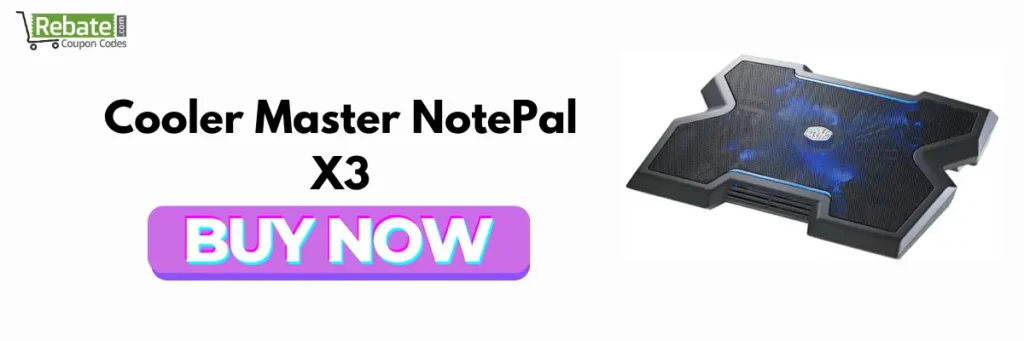
The Cooler Master NotePal X3 is one of the most interesting choices if you want a simple but powerful cooling pad for gaming and everyday work. Instead of using several small fans, it uses a large 200mm fan designed to provide broad airflow across the laptop’s base.
Cooler Master lists support for laptops up to 17 inches. The NotePal X3 also features a metal mesh base, adjustable fan speed, ergonomic positioning, and an integrated USB hub. Its fan speed can be adjusted between approximately 500 and 850 RPM, while the manufacturer lists airflow of up to 76.5 CFM.
The large fan is useful because it can move air across a wider portion of the laptop. It is particularly suitable for users who want something that works for both gaming and office tasks without needing a complicated setup.
Key Features
- 200mm cooling fan
- Adjustable fan-speed control
- Metal mesh surface
- Supports laptops up to 17 inches
- Ergonomic viewing angle
- Integrated USB connectivity
- Front airflow for additional hand comfort
- USB-powered operation
Who Should Buy It?
The NotePal X3 is a good laptop cooling pad for people who want a balance between cooling, comfort, and simplicity. It is especially suitable for 15- to 17-inch laptops used for gaming, programming, video editing, or long office sessions.
Best for: General gaming, work, and large laptops.
2. IETS GT500 – Best Cooling Pad for Gaming Laptop

If gaming performance is your biggest priority, the IETS GT500 deserves a place near the top of your list. Unlike conventional cooling pads that simply blow air upward, the GT500 uses a high-pressure turbofan and sealing foam to concentrate airflow toward the laptop’s bottom ventilation area.
The manufacturer lists several GT500 versions with maximum fan speeds ranging from 4,200 to 5,000 RPM. Depending on the version, the unit can offer up to 51.25 CFM of airflow and up to 38.6 mmH2O of air pressure. It supports laptops from 13 to 17.3 inches.
This makes it particularly interesting for gaming laptops that have substantial bottom intake vents. The detachable sealing foam helps reduce air escaping around the laptop instead of going through the intended intake area.
However, powerful cooling comes with a trade-off. The GT500 is larger and heavier than many conventional laptop cooling pads. It also makes more sense for a fixed gaming desk than for someone who frequently carries their laptop between locations.
Key Features
- High-pressure turbofan
- Up to 5,000 RPM on certain versions
- Sealing foam design
- Supports 13- to 17.3-inch laptops
- Multiple height adjustments
- Dust filter
- RGB available on selected versions
- USB expansion on selected versions
Who Should Buy It?
Choose the GT500 if your laptop regularly gets hot during gaming, rendering, 3D workloads, or other sustained heavy tasks.
Before buying, check the location and shape of your laptop’s bottom intake vents. A high-powered cooler is most useful when its airflow can actually reach those vents.
Best for: Gaming laptops and heavy workloads.
3. DeepCool N65 – Best Cooling Pad for Work and Gaming
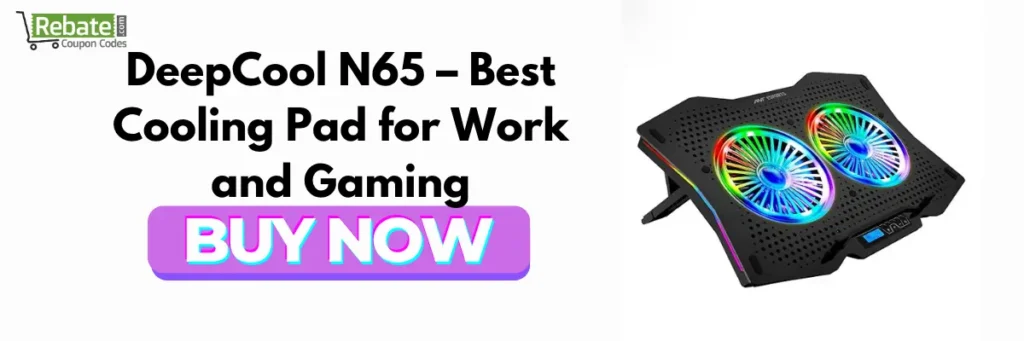
The DeepCool N65 is an excellent middle-ground option for users who want cooling without an extremely aggressive gaming-focused design.
It uses two 140mm fans running at around 1,000 RPM. DeepCool lists airflow of 80.4 CFM and noise of approximately 26.3 dB(A). It supports laptops up to 17.3 inches and provides two adjustable viewing angles.
One of its standout features is the full-metal panel. The metal surface contains air channels designed to improve airflow while also providing a solid platform for the laptop. It also has a removable dust filter, which is useful because dust accumulation can reduce cooling performance over time.
Another useful feature is its USB 3.0 pass-through port. You connect the cooling pad to your laptop and can still use an additional USB device through the pad.
Key Features
- Dual 140mm fans
- 1,000 RPM fan speed
- Up to 80.4 CFM airflow
- Full-metal cooling panel
- Two adjustable angles
- Removable dust filter
- Anti-slip design
- USB 3.0 pass-through
- Supports laptops up to 17.3 inches
Who Should Buy It?
The N65 is a good laptop cooling pad for students, office users, programmers, creators, and casual gamers who want a sturdy cooling platform.
Best for: Work, productivity, programming, and moderate gaming.
4. Thermaltake Massive 20 RGB – Best for Large Gaming Laptops

Large gaming laptops can be difficult to cool because their footprint may extend beyond the effective airflow area of smaller cooling pads. This is where the Thermaltake Massive 20 RGB becomes interesting.
It uses a large 200mm fan and is designed for a broad range of laptop sizes. Published specifications list compatibility extending from smaller laptops to very large notebooks, with the cooling surface designed around large gaming machines.
The Massive 20 RGB also adds RGB lighting, making it a suitable choice for gaming desks where appearance matters.
Its large fan design provides broad airflow rather than relying on several tiny fans. The downside is that this is not the most compact option, and users should check the actual laptop dimensions before purchasing.
Key Features
- Large 200mm fan
- RGB lighting
- Large cooling surface
- Adjustable fan control
- Ergonomic design
- Designed for larger laptops
Who Should Buy It?
This model is best suited to gamers using large 15.6-, 17-inch, or similarly sized gaming laptops.
Best for: Large gaming laptops and RGB gaming setups.
5. Havit HV-F2056 – Best Budget Laptop Cooling Pad

If you need an inexpensive cooling solution for an older laptop or a regular work machine, the Havit HV-F2056 is worth considering.
The model uses three fans and is designed for 15.6- to 17-inch laptops. Havit lists a speed of approximately 1,100 ± 200 RPM, two USB ports, a metal mesh surface, and a weight of around 0.996 kg.
Its slim design makes it more convenient than many bulky gaming cooling stands. It is therefore suitable for users who want basic active cooling without turning their desk into a full gaming setup.
The three-fan design also distributes airflow across a relatively wide area. However, users with high-performance gaming laptops should not expect the same focused airflow as a high-pressure cooler such as the IETS GT500.
Key Features
- Three cooling fans
- Approximately 1,100 RPM
- Supports 15.6- to 17-inch laptops
- Metal mesh surface
- Two USB ports
- Slim design
- USB-powered
Who Should Buy It?
The Havit HV-F2056 is a practical choice for office laptops, older gaming laptops, students, and budget-conscious users.
Best for: Budget buyers and everyday work.
6. KLIM Wind – Best Portable Laptop Cooling Fan
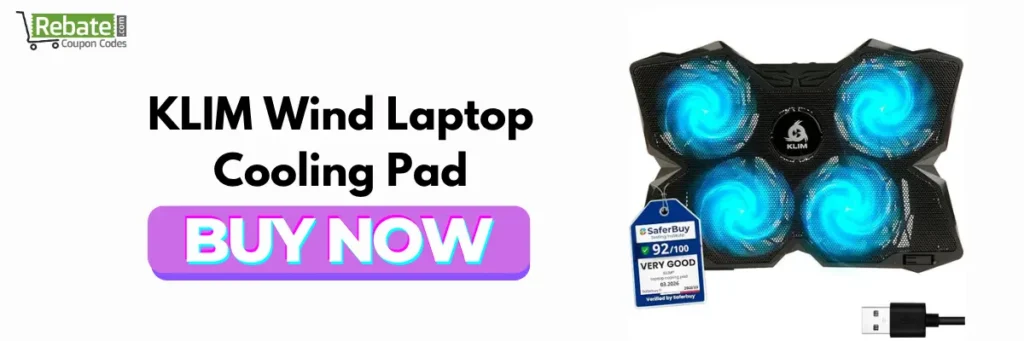
The KLIM Wind focuses on portability and convenience. It is designed as a laptop stand with active cooling, making it useful for people who want to raise their laptop while also improving airflow underneath it.
A portable cooling solution can be particularly useful for students, remote workers, and people who regularly move between rooms or workspaces.
Unlike heavy high-performance cooling stations, a portable model is easier to integrate into an everyday work setup. However, the exact cooling performance depends heavily on the laptop’s own ventilation design.
Key Features
- Portable cooling design
- Integrated fans
- Laptop elevation
- USB-powered operation
- Suitable for work and everyday use
- Compact compared with larger gaming coolers
Who Should Buy It?
Choose the KLIM Wind if portability and desk comfort matter almost as much as cooling.
Best for: Students, remote workers, and portable workstations.
7. Zebronics ZEB-NC3300 – Best Affordable Cooling Pad in India

For Indian buyers looking for an affordable laptop cooling pad, the Zebronics ZEB-NC3300 is another model worth considering.
It is positioned as a simple active cooling solution with dual fans and USB connectivity. Its relatively straightforward design makes it suitable for everyday laptops where the primary goal is to improve airflow underneath the machine without spending heavily.
Budget cooling pads are generally best suited to light and moderate workloads. If your laptop is regularly reaching very high temperatures during demanding gaming or rendering, a more powerful cooling solution may be a better investment.
Key Features
- Dual-fan design
- USB connectivity
- Laptop stand functionality
- Lightweight setup
- Budget-friendly design
- Suitable for everyday use
Who Should Buy It?
The ZEB-NC3300 is a reasonable option for students, office users, casual gamers, and people who simply want to raise their laptop and add active airflow.
Best for: Budget users and everyday laptops.
Which Is the Best Laptop Cooling Pad for Gaming?
The IETS GT500 is one of the strongest choices for gaming because its high-pressure turbofan and sealing system are designed to direct airflow toward the laptop’s bottom intake vents. Its various versions reach up to 5,000 RPM and support laptops up to 17.3 inches.
However, the best cooling pad for gaming is not necessarily the one with the highest RPM.
Your laptop’s ventilation design matters more.
Before buying a gaming laptop cooling pad, check:
- Where are the laptop’s bottom intake vents?
- How large are those vents?
- Does the cooling pad cover them?
- Is the laptop between the supported size range?
- Can the pad create a direct airflow path?
- How much fan noise can you tolerate?
- Will the pad remain on your desk or travel with you?
A high-pressure cooler can be particularly useful when your laptop has large bottom intake grilles. A traditional fan-based pad can work well when the laptop needs additional airflow and elevation.

Does a Laptop Cooling Pad Really Work?
Yes, a laptop cooling pad can work, but the results vary significantly between laptops and cooling pads.
A cooling pad can help by increasing airflow around the laptop’s underside and, in some designs, pushing additional air toward the intake vents. However, it cannot repair a laptop with severe internal dust buildup, blocked vents, a failing internal fan, or other hardware problems.
Independent testing and reviews also show that the effectiveness of cooling pads varies by laptop and design. Some conventional pads provide modest benefits, while properly matched high-pressure cooling systems can produce more noticeable results under heavy workloads.
This is why buying a cooling pad based solely on the number of fans can be misleading.
What Should You Look for in the Best Laptop Cooling Pads?
Choosing the right best cooling fan for laptop involves more than checking fan count. Consider these factors before buying.
1. Check Laptop Size Compatibility
Always check the cooling pad’s supported laptop size.
A 17.3-inch gaming laptop needs a larger platform than a 13-inch ultrabook. If the laptop extends too far beyond the pad, the cooling fans may not align with the important intake vents.
2. Look at the Airflow
Airflow determines how much air the cooler can move. Some manufacturers provide CFM ratings, while gaming-focused models may also advertise air-pressure figures.
For conventional cooling pads, a large fan can provide broad airflow. For gaming laptops, high-pressure airflow can be more useful when the vents are positioned correctly.
3. Check the Fan Noise
A powerful cooling fan can produce more noise.
If you work in an office, attend online meetings, or record videos, noise may be more important than maximum cooling performance.
For gaming, higher fan noise may be acceptable if it helps maintain stable performance.
4. Choose the Right Design
There are several common types:
- Single large-fan cooling pads
- Dual-fan cooling pads
- Multi-fan cooling pads
- High-pressure turbofan coolers
- Passive laptop stands
- Cooling stands with RGB lighting
A large fan is not automatically better than multiple smaller fans. The correct design depends on your laptop’s vent layout.
5. Consider Ergonomics
A good cooling pad should not only cool your laptop. It should also provide a comfortable working angle.
Adjustable height can help improve screen positioning and reduce uncomfortable wrist or neck angles during long sessions.
6. Look for USB Pass-Through
Most laptop cooling pads draw power through USB.
A USB pass-through port is useful because you can connect another peripheral without permanently losing a laptop USB port.
The DeepCool N65, for example, includes USB 3.0 output functionality.
7. Consider Cleaning and Dust Protection
Cooling pads move air, which means dust can accumulate over time.
A removable dust filter can make maintenance easier. The DeepCool N65 and IETS GT500 both include dust-management features.
Laptop Cooling Pad vs Laptop Cooling Fan: What’s the Difference?
A laptop cooling fan is generally an active fan designed to move air around or toward the laptop.
A laptop cooling pad usually combines one or more fans with a physical platform that raises the laptop.
The cooling pad therefore provides two potential benefits:
- Active airflow.
- Better clearance underneath the laptop.
A simple laptop stand can sometimes improve cooling even without a fan because it increases the space underneath the laptop. Adding active airflow can provide another level of cooling when the laptop’s ventilation system can benefit from it.
Are More Fans Better for Laptop Cooling?
Not necessarily.
A cooling pad with four or five small fans is not automatically better than one with a single large fan.
What matters is whether the airflow actually reaches your laptop’s intake vents.
For example, the Cooler Master NotePal X3 uses one large 200mm fan, while the DeepCool N65 uses two 140mm fans. Both approaches can make sense because they are designed around broad airflow rather than simply maximizing the number of fans.
For gaming laptops with demanding cooling requirements, a high-pressure turbofan can sometimes make more sense than a conventional multi-fan design.
How to Use a Cooling Pad Correctly
Getting the most from your best laptop cooling pad is relatively simple.
Follow these steps:
- Place the cooling pad on a flat, stable surface.
- Check the laptop’s bottom ventilation openings.
- Position the laptop so the pad’s airflow reaches those areas.
- Make sure the laptop is securely positioned against the anti-slip supports.
- Connect the USB power cable.
- Start with a moderate fan speed.
- Increase the fan speed during heavy workloads if necessary.
- Clean the cooling pad and laptop vents regularly.
- Monitor laptop temperatures during gaming or rendering.
- Avoid blocking the laptop’s exhaust vents.
Correct positioning can make a bigger difference than simply running the fan at maximum speed.
Which Cooling Pad Is Best for Different Users?
| User Type | Recommended Pick | Why |
| Gaming | IETS GT500 | High-pressure airflow |
| General Use | Cooler Master NotePal X3 | Large fan and ergonomic design |
| Office Work | DeepCool N65 | Quiet, sturdy design |
| Large Gaming Laptop | Thermaltake Massive 20 RGB | Large cooling surface |
| Budget User | Havit HV-F2056 | Simple multi-fan cooling |
| Portable User | KLIM Wind | Portable cooling stand |
| Affordable Indian Option | Zebronics ZEB-NC3300 | Simple budget design |
Do Gaming Laptops Need a Cooling Pad?
Not every gaming laptop needs one.
Modern gaming laptops already include internal fans, heat pipes, vapor chambers, or other cooling technologies. However, a cooling pad can be useful when the laptop operates under sustained heavy loads.
A cooling pad may be worth considering if you notice:
- High CPU or GPU temperatures
- Performance dropping during long gaming sessions
- Thermal throttling
- Loud internal fans
- A very hot laptop chassis
- Reduced performance during rendering
- Poor airflow underneath the laptop
Before buying one, clean the laptop’s vents and make sure its internal cooling system is working properly.
Can a Cooling Pad Increase FPS?
A cooling pad does not directly increase your laptop’s GPU or CPU performance.
However, if overheating causes thermal throttling, better cooling may help the laptop maintain higher performance for longer periods. That can result in more consistent FPS during long gaming sessions.
Therefore, the main benefit is usually performance stability, rather than a guaranteed FPS increase.
Best Laptop Cooling Pads in 2026: Final Verdict
The Best Laptop Cooling Pads in 2026 are not necessarily the most expensive or the ones with the highest number of fans. The right choice depends on your laptop, workload, ventilation design, and budget.
For most users, the Cooler Master NotePal X3 is a strong all-round option because its large 200mm fan, metal mesh surface, adjustable speed, and ergonomic design make it suitable for both gaming and work.
For serious gaming and heavy workloads, the IETS GT500 is a better choice when your laptop has compatible bottom intake vents. Its high-pressure turbofan and sealing system are designed for more focused cooling.
For people who want a balanced work-and-gaming setup, the DeepCool N65 offers dual 140mm fans, a metal panel, adjustable angles, and useful USB connectivity.
If budget is your biggest concern, the Havit HV-F2056 and Zebronics ZEB-NC3300 are worth considering for everyday use.
Ultimately, choose a cooling pad based on vent alignment, laptop size, airflow, noise, ergonomics, and your workload rather than fan count alone.
Frequently Asked Questions About Laptop Cooling Pads
The Cooler Master NotePal X3 is a strong overall choice for 2026 because it combines a large 200mm fan, metal mesh surface, adjustable fan speed, and ergonomic positioning. For extreme gaming workloads, the IETS GT500 is a more specialized option.
The IETS GT500 is one of the strongest choices for gaming laptops because it uses a high-pressure turbofan and sealing foam to direct airflow toward compatible bottom intake vents. It supports 13- to 17.3-inch laptops, depending on the model configuration.
Yes, a cooling pad can reduce laptop temperatures by improving airflow underneath the machine, but the exact improvement depends on the laptop, ambient temperature, internal cooling system, and vent placement. A cooling pad cannot replace internal maintenance or repair.
Yes. A cooling pad can be useful for long office sessions, especially when a laptop becomes warm while multitasking, using multiple browser tabs, running professional applications, or working in a warm environment. A quieter model such as the DeepCool N65 can be a practical choice.
Start by checking your laptop’s size and bottom intake vents. Then compare airflow, fan noise, cooling-pad dimensions, adjustability, USB connectivity, dust protection, and portability. For gaming laptops, prioritize airflow that actually reaches the intake vents rather than simply choosing a model with more fans.